
Access the system in the environment where you intend to cancel the SPOT quote. It's important to note that each client has a unique environment, meaning that all registrations and information generated within that space are confidential and private.
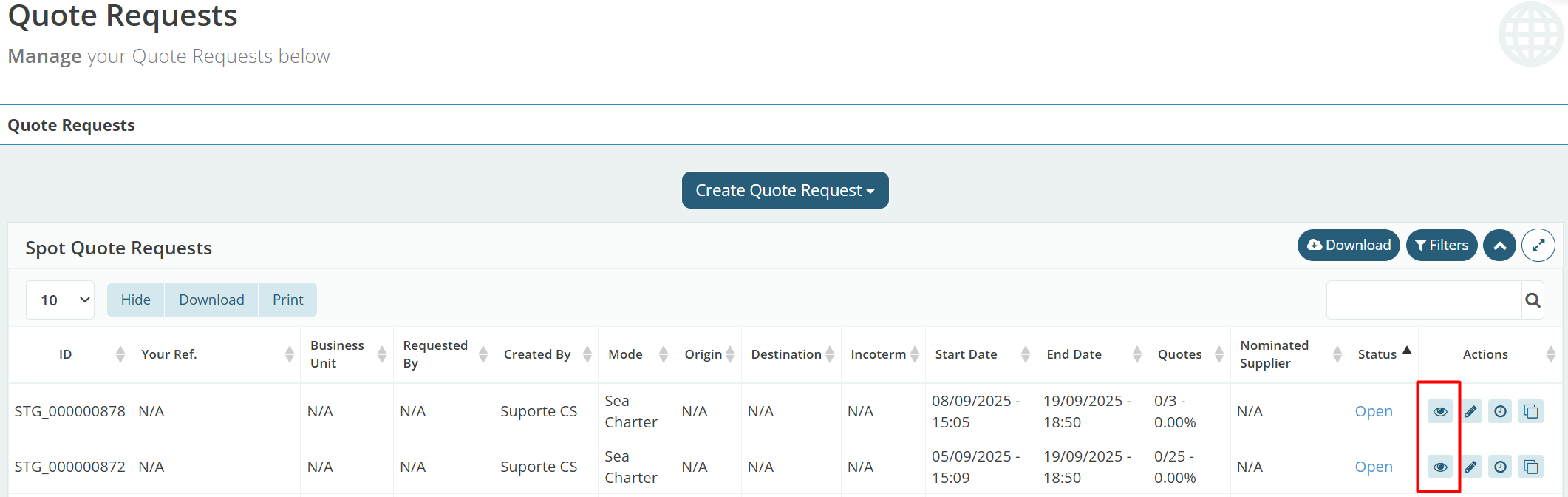
Click the 'Details' button represented by an eye icon on the right side of the SPOT quote you wish to cancel.
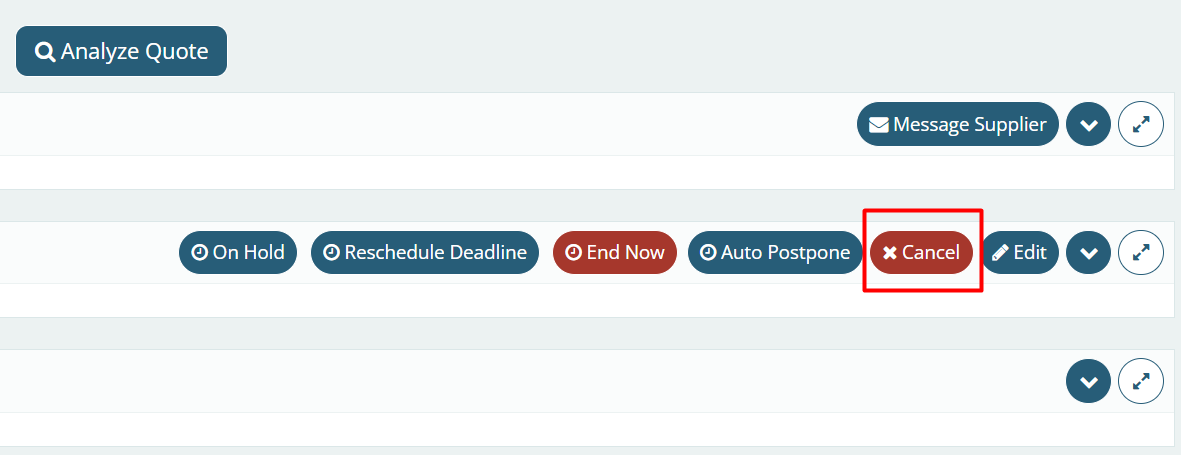
Next, click the red 'Cancel' button in the upper right corner of your screen to cancel the SPOT quote.
The system, for compliance reasons, will request a justification for this quote to be canceled.
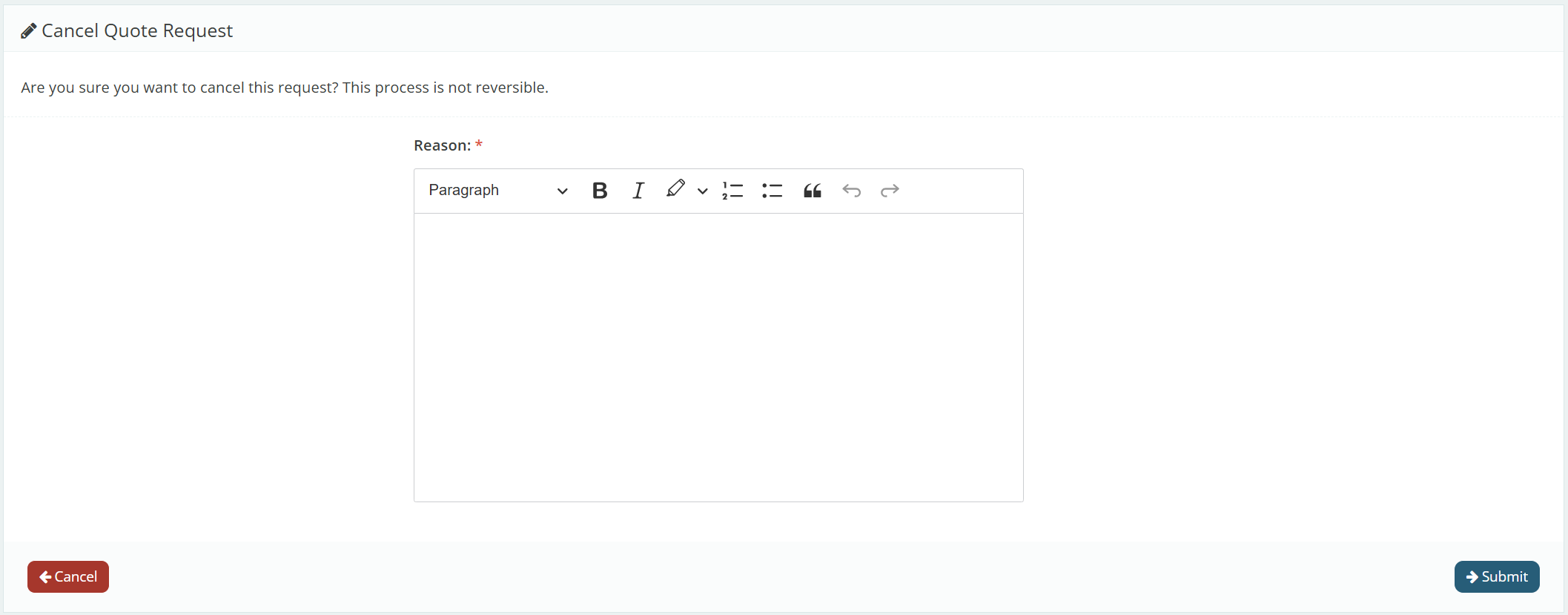
Next, click 'Submit' in the bottom right corner of the screen.
Attention: It is important to emphasize that this action cannot be reversed, so only cancel it if it is really necessary. If you cancel it by mistake, you can clone it, and the system will open an identical quote.
This process can be carried out by following the step-by-step guide here.