
Access the system in the environment where you intend to clone a SPOT quote. It's important to note that each client has an exclusive environment, which means that all registrations and information generated in that space are confidential and private.
Locate the quote you want to clone and click on the button with a square icon on the right side.
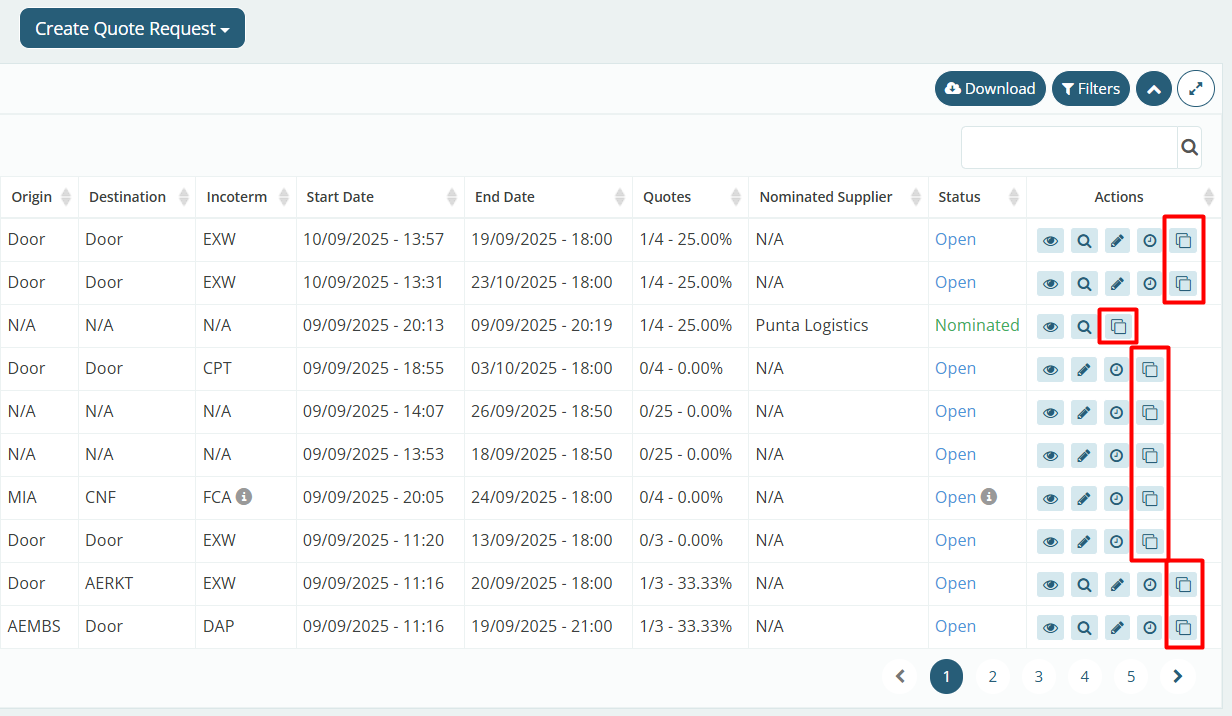
You will be redirected to the quote creation page, where the fields will be automatically pre-filled with the information from the quote you cloned, facilitating the filling process. However, all fields can still be edited as needed.
It is worth noting that some information, such as the quote's 'Deadline' field, will be automatically cleared. This ensures that you enter a valid date, as the previous quote may have an expired deadline.
After checking all the information, click submit to create the new quote.