
By clicking “Show Advanced Settings”, you can:
-
Apply a percentage (increase or decrease) on top of the final DTA/Inland value
-
Change the DTA/Inland calculation by modifying the base used by the system
-
Create new weight ranges outside the system’s default standard
-
Create DTA/Inland surcharges
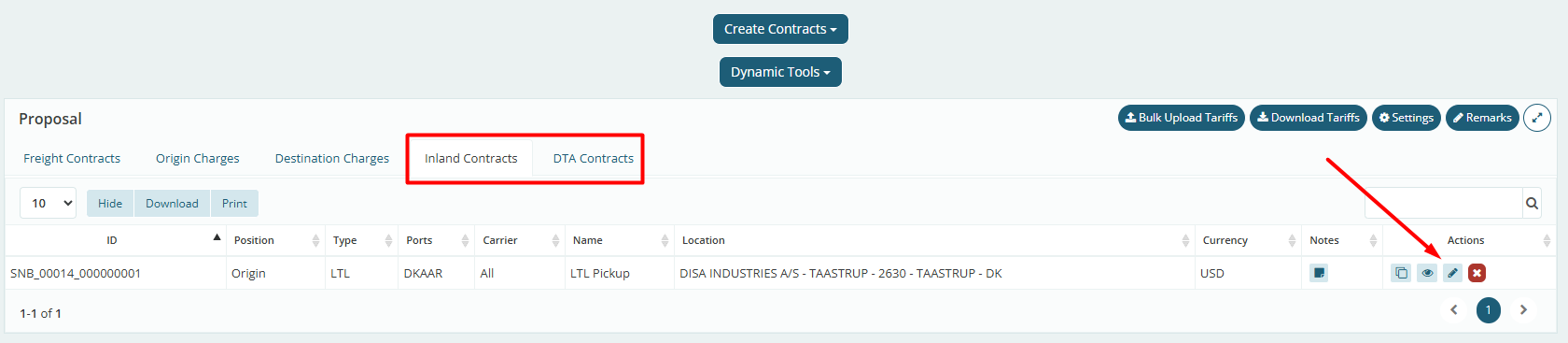
Access the system and click the eye icon on the right side of the BID you want to edit. Inside the BID screen, click “Inland Contracts” or “DTA Contracts” and edit it. At least one contract must already have been imported for the edit option to appear.
Percentage applied to the total value
When editing and clicking “Show Advanced Config”, the first field allows you to add a percentage to be applied (or discounted) from the total DTA value after the system’s final calculation.

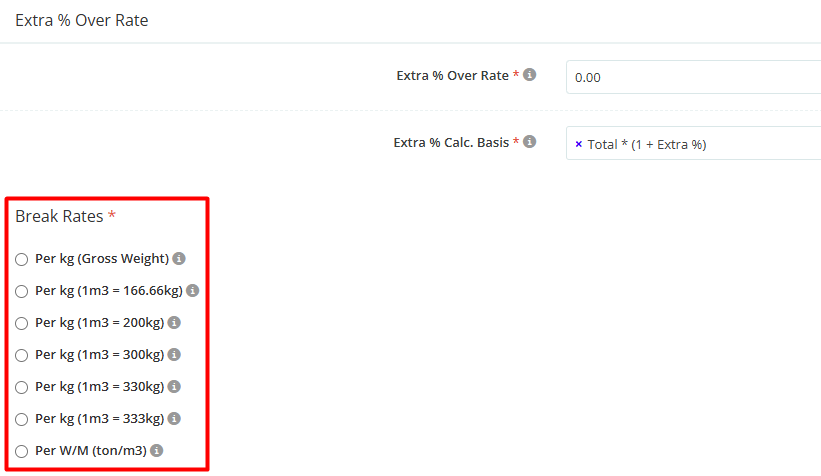
Definition of the base used for cargo weight
In the field below, you can adjust how the system interprets the DTA calculation using the “Break Rates” field. In other words, this determines how the system will interpret the cargo weight to apply the appropriate tariff within a specific weight range.
Customization of weight ranges
Below that, it is possible to customize weight ranges outside the spreadsheet standards using the “Add Break Rates” button.

This means that, instead of following the standard model (e.g., “+45”, “+100”, etc.), you can manually define weight intervals (using the “Above” logic) and their respective values. When using this functionality, the rate entered in the tariff field at the top of the page will be considered applicable below the first weight range configured in the Advanced Settings.
Example: if you entered 0.25 in the DTA tariff field and in the advanced settings you set the first range as 51 kg charged at 0.39/kg, the system will interpret it as follows:
-
Above 51 kg, it will charge USD 0.39 per kg, according to the configuration below.
-
Below 51 kg, it will charge the value informed in the tariff field outside the advanced settings.

Additional Charges
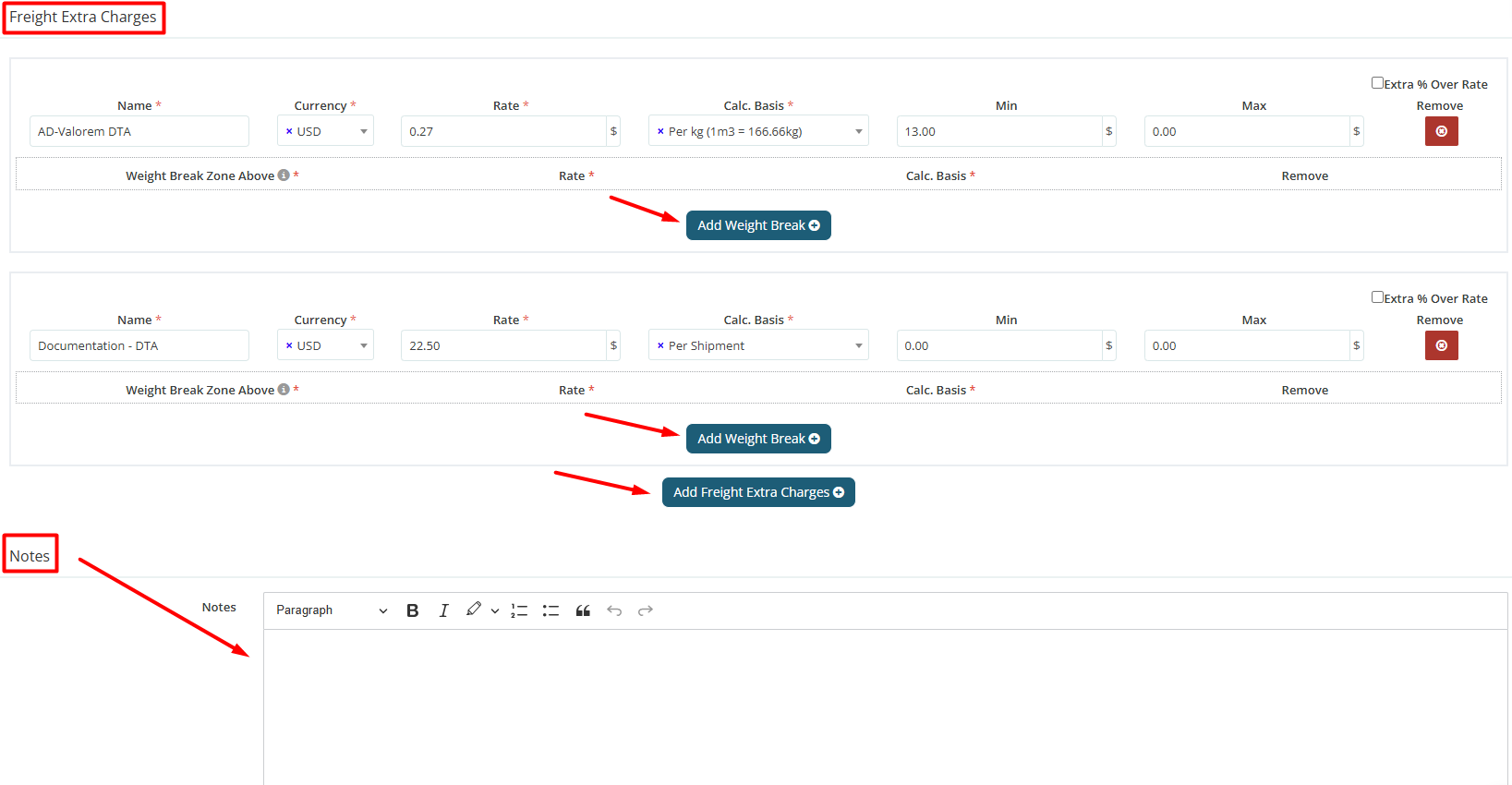
Additional charges related to DTA — such as cost sharing, tolls, ad valorem, parking, documentation, among others — must be added only as DTA/Inland Extra Charges.
To do this, click “Add Freight Extra Charges” and fill in the required information. The system also allows configuring a charge to apply only from a specific weight range by using the “Add Weight Range” button.
If necessary, use the notes field to include general observations and additional explanations for the client.
After filling in all fields, click “Submit” in the bottom right corner of the screen to link the tariff to the BID.