
Access the system in the client environment where you will send the invoice. It is important to emphasize that each client has an exclusive environment, which means that all registrations and information generated in this space are confidential and private.
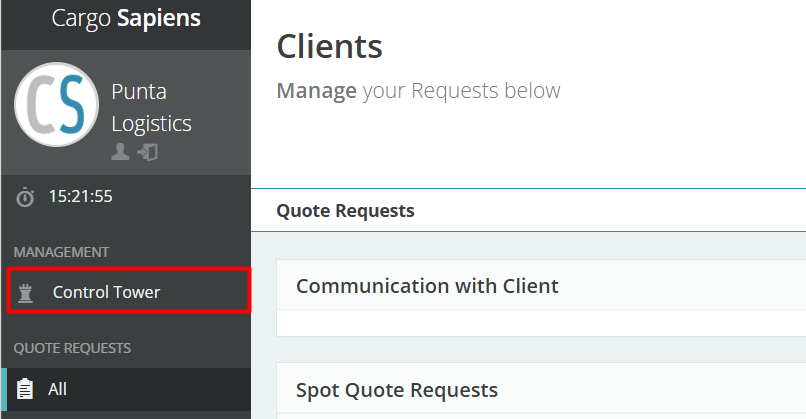
Locate the Management section in the left-hand menu and click on Control Tower.
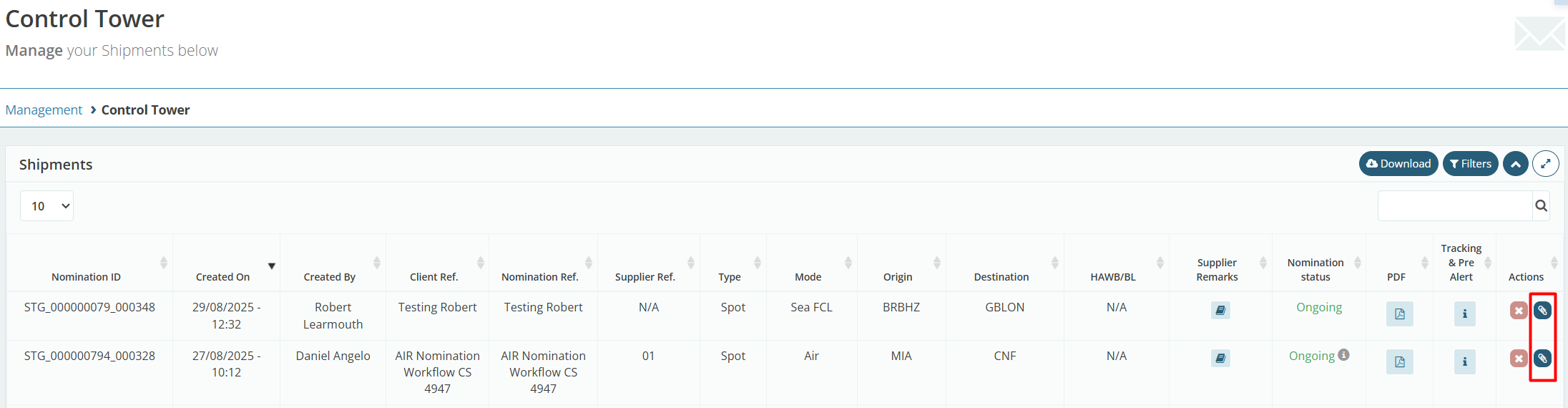
Click the blue button on the right side, with the paperclip icon, for the quotation you want to attach.
In the first Attachments field, click Choose Files to select the files you want to attach.
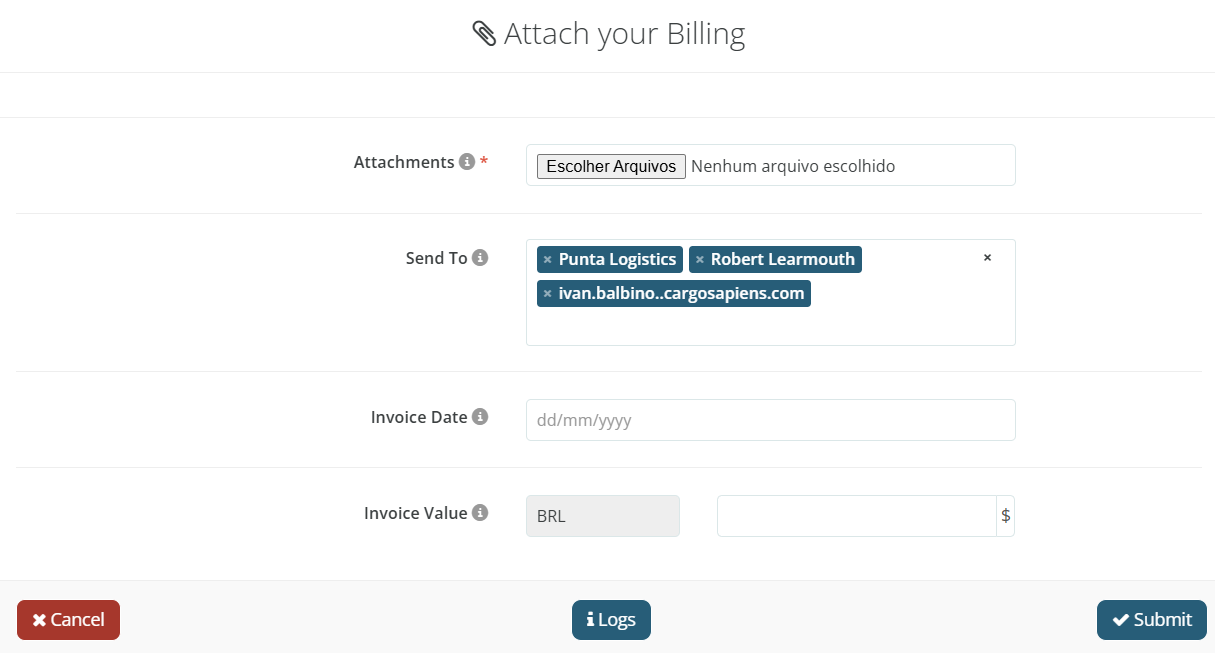
Next, enter the invoice date for PTAX adjustment and input the total amount to facilitate the correction by the client. Then, click “Send” to complete the process.