
Access the system in the environment where you intend to open a SPOT quote. It’s important to highlight that each client has an exclusive environment, which means all records and information generated there are confidential and private.
Access our full tutorial on how to open a Spot quote so we can continue with the market test.
In the left side menu click on “Settings” in the “Admin” section.
Enable the “Market Test Option” to allow access when creating a Spot. In addition to this, you can visualize the deadline options and define a minimum response time for suppliers, if necessary.
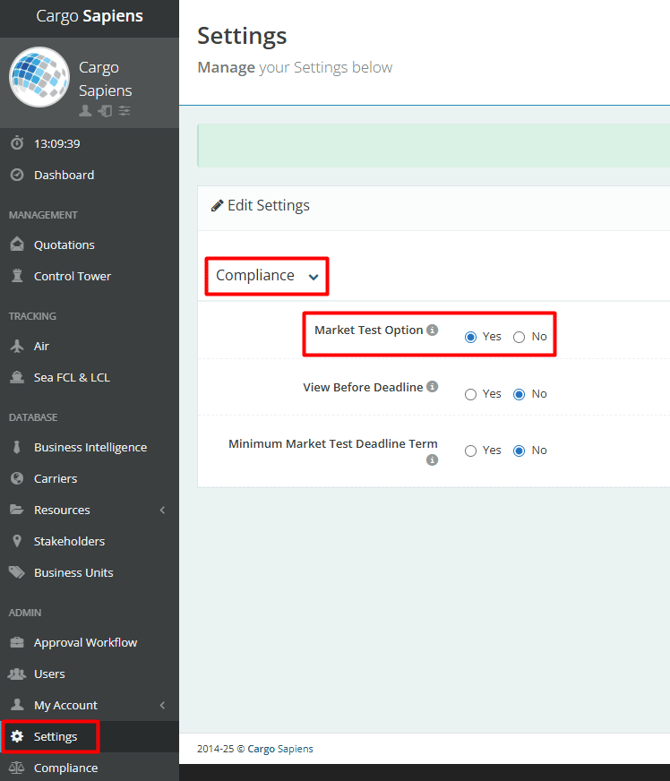
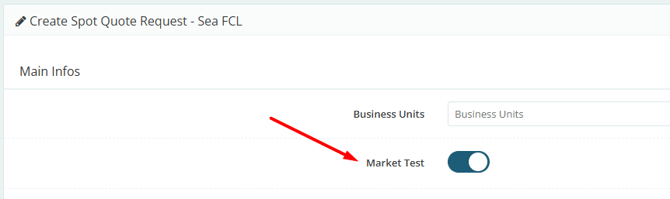
This way, this field will be available when creating a Spot.
Once created, it will be identified as a Market Test by a blue background color when viewed in the general list under “Spot Quote Requests,” as shown below:
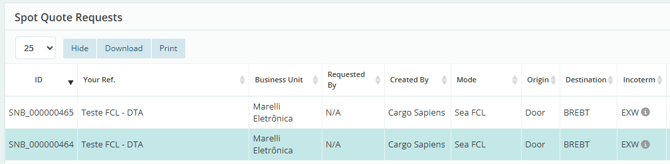
Although it is created as a study, if you prefer, the quote can still be named normally.
Keep in mind that suppliers will receive it as a regular quote — the market study aspect is for internal awareness only.